Home Security Cameras and Video Doorbells: A Plain Buying Guide
Tapo, Wyze and Arlo cameras and doorbells compared on resolution, power, weather rating and what needs a subscription.
Put together by the paybik team from published specifications to help you choose before you buy. How we pick
paybik may earn a commission when you buy through links in this article, at no extra cost to you.
This guide to home security cameras and video doorbells is for renters and homeowners who want to keep an eye on a room, a doorstep or a driveway from their phone without paying for a professionally installed system. It covers four Wi-Fi cameras and two video doorbells from Tapo, Wyze and Arlo. We have not tested them hands-on; the comparisons are based on published specifications. The aim is to help you match a camera to a location and to be clear about which features need a subscription.
Quick picks
- Best starter indoor camera: Tapo C100 1080P Indoor Security Camera, a small fixed camera with person and baby-cry detection.
- Best for smart alerts without a plan: Tapo C120 2K+ Indoor/Outdoor Security Camera, which includes person, pet and vehicle detection free.
- Best for covering whole rooms: Tapo C211 2K Pan Tilt Security Camera (2-Pack), two cameras with 360-degree horizontal rotation.
- Best compact camera with a spotlight: Wyze Cam v4 2.5K Security Camera, with a motion-activated spotlight and siren.
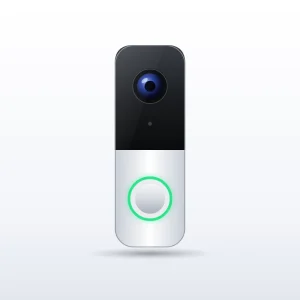
- Best doorbell for homes without wiring: Wyze Battery Video Doorbell, with a battery Wyze rates for up to six months of normal use.
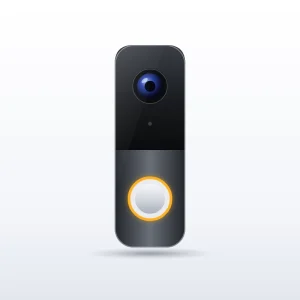
- Best doorbell for Arlo households: Arlo Video Doorbell 2K (2nd Gen), with a 180-degree diagonal view and ties to other Arlo cameras.
How to choose
- Location and weather rating: indoor-only cameras must stay indoors. For a porch or garage, look for a stated weather rating.
- Power: wired cameras need an outlet nearby and, outdoors, a protected cable. Battery doorbells avoid wiring but must be recharged.
- Storage and subscriptions: a microSD slot lets you record locally without a fee. Cloud history, and on some brands smart detection, requires a paid plan. Work out the running cost before you buy.
- Fixed or pan-and-tilt: a fixed camera suits a single doorway or cot; a rotating camera covers an open room with fewer blind spots.
- Wi-Fi: every product here connects on the 2.4 GHz band, so your router must offer one, with a strong signal where the device will sit.
- Privacy: think about where an indoor camera points, and check local rules on recording audio.
Tapo C100 1080P Indoor Security Camera
The Tapo C100 is a small fixed-position camera from TP-Link’s Tapo range. It records 1080p video, uses infrared LEDs for black-and-white night vision with a stated range of up to 40 feet, and offers motion, person and baby-cry detection with activity zones. Two-way audio, a siren and a microSD slot for cards up to 512 GB are built in. It does not pan or tilt, is mains powered with no battery, and is not weather resistant. Cloud video history needs the optional Tapo Care subscription. It suits flats, nurseries and pet owners watching one area.
Tapo C120 2K+ Indoor/Outdoor Security Camera
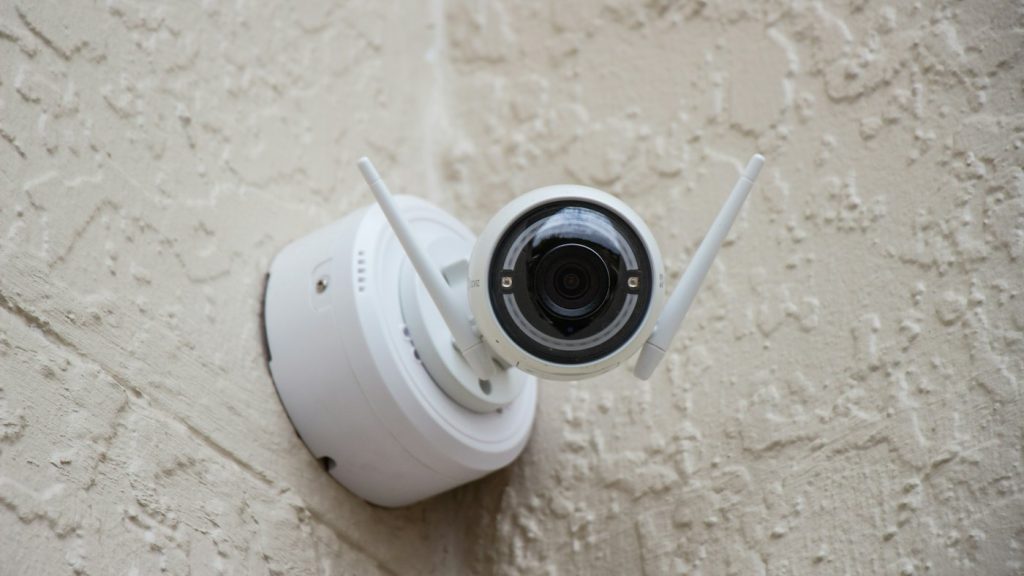
The Tapo C120 is a compact wired camera with 2560 x 1440 video, an IP66 weatherproof body, and a starlight sensor with two spotlights for colour images at night. Person, pet and vehicle detection run on the device and are included free, alongside motion zones and line-crossing alerts. A magnetic base and mounting hardware make positioning easy. It is powered over a USB cable, so outdoor use means planning how the cable and plug stay dry, and it does not pan or tilt. Two-way audio, a siren and a microSD slot for cards up to 512 GB are built in. It suits front doors, side passages and garages.
Tapo C211 2K Pan Tilt Security Camera (2-Pack)
The Tapo C211 two-pack gives you two indoor cameras with 2304 x 1296 video, 360-degree horizontal rotation and 114-degree vertical tilt controlled from the app. Each has motion, person and baby-cry detection, two-way audio, a siren and a microSD slot for cards up to 512 GB, and the app offers a privacy mode that stops viewing and recording. Night vision is infrared, so it is black and white with a stated range of up to 30 feet, and each camera needs its own outlet. These are indoor cameras only. Budget for two microSD cards, since none is normally included. They suit parents, pet owners and open-plan rooms.
Wyze Cam v4 2.5K Security Camera
The Wyze Cam v4 is a small wired camera for indoor or outdoor use, with 2560 x 1440 video, colour night vision backed by a motion-activated spotlight, an IP65 rating, a siren and a microSD slot for cards up to 256 GB. The main limitation is the subscription: person, pet, package and vehicle detection and cloud video history are tied to a Wyze Cam Plus plan, so without one you rely mainly on local recording and basic motion alerts. The supplied power adapter is for indoor use, with an outdoor-rated adapter sold separately, and the camera is not designed for Apple Home. It suits porches, driveways and garages with power nearby.
Wyze Battery Video Doorbell
The Wyze Battery Video Doorbell runs on a built-in rechargeable battery or existing doorbell wiring. It records 1536 x 1536 video in a square format with a 150-degree view both horizontally and vertically, which helps you see faces and parcels on the ground. It is rated IP65 and has two-way audio, infrared night vision and a siren. The battery is built in, so the whole unit comes off the wall to recharge unless you hardwire it, and battery life drops at busy doors or in cold weather. Smart detection needs a Wyze Cam Plus plan, and an indoor chime is not necessarily included. Wyze sells a wireless chime separately. It suits renters and homes without doorbell wiring.
Arlo Video Doorbell 2K (2nd Gen)
The Arlo Video Doorbell 2K also offers battery or wired installation. It records 1944 x 1944 video with HDR and a 180-degree diagonal field of view, and adds full-duplex two-way audio, visitor voice messages, an integrated siren and a weather-resistant design. The cost is ongoing: an Arlo Secure plan is required for stored recordings, detection of people, packages and vehicles, and activity zones, leaving mainly live view and basic notifications without one. The battery is not removable, and an Arlo chime is sold separately. Arlo also sells an HD version with a similar name. When hardwired, it can ring a compatible existing chime, and the transformer should be in the 8 to 24 V AC range. It suits people who already own Arlo cameras.
Comparison at a glance
| Product | Resolution | Power | Weather rating |
|---|---|---|---|
| Tapo C100 | 1080p | Mains adapter, no battery | Indoor only |
| Tapo C120 | 2560 x 1440 | USB cable and mains adapter | IP66 |
| Tapo C211 (2-Pack) | 2304 x 1296 | Mains, one outlet per camera | Indoor only |
| Wyze Cam v4 | 2560 x 1440 | USB cable and adapter | IP65 |
| Wyze Battery Video Doorbell | 1536 x 1536 | Built-in battery or hardwired | IP65 |
| Arlo Video Doorbell 2K (2nd Gen) | 1944 x 1944 | Built-in battery or hardwired | Weather resistant, rating not stated |
Local or cloud storage: what home security cameras cost to run
Every camera has to save its clips somewhere. Local storage means a microSD card inside the camera: you buy the card once and there is no monthly fee, but anyone who takes the camera takes the footage with it.
Cloud storage uploads clips to the maker’s servers, so they survive if the camera is damaged or stolen, and it almost always requires a paid plan. Some brands also tie smart detection to that plan, while others run it on the device at no charge. Before buying home security cameras, list what works with no subscription at all. Every product here is set up through a phone app; if your handset is ageing, see our unlocked phones comparison.
Common mistakes to avoid
- Putting an indoor camera outside: without a stated weather rating, even a sheltered porch is a risk.
- Forgetting the cable outdoors: a weatherproof camera still needs its plug and adapter kept dry.
- Not testing Wi-Fi at the mounting spot: check the 2.4 GHz signal there before drilling.
- Leaving out running costs: add microSD cards and any plan to the total.
- Ignoring privacy: avoid pointing cameras at neighbours, and check local rules on recording audio.
If you want a camera for filming instead of monitoring, see our beginner drones and starter cameras guide.
Frequently asked questions
Do home security cameras work without a subscription?
Most give you live view and basic motion alerts without one, and models with a microSD slot can record locally at no extra cost. Cloud video history nearly always needs a plan, and some makers also reserve person, package and vehicle detection for subscribers.
Can I use an indoor camera outside?
It is not a good idea. Indoor cameras are not sealed against rain or dust, and their power adapters are not made for outdoor use. For a porch, garage or driveway, choose a camera with a stated weather rating and plan how the plug stays dry.
Do security cameras need Wi-Fi to work?
The cameras and doorbells in this guide do. They use your home Wi-Fi to send alerts and live video to a phone app, and all of them connect on the 2.4 GHz band, so signal strength at the mounting spot matters as much as the camera.
Is 2K resolution worth choosing over 1080p?
It helps when you need to zoom in on a face, a parcel or a number plate at close range, because there are more pixels to work with. For checking on a pet or a single room, 1080p is clear enough for most people.
How long does a battery video doorbell last between charges?
It depends on how busy the door is. Wyze rates its battery doorbell for up to six months of normal use, but frequent motion events and cold weather shorten that. Hardwiring to existing doorbell wiring keeps the battery charged, so the unit never has to come off the wall.
Bottom line
For a single room indoors, the Tapo C100 is the simple choice and the C211 two-pack is the better one if you need to follow movement or watch two spaces. For a camera that can go outside, the Tapo C120 and Wyze Cam v4 have similar resolution and both need a cable; the C120 includes its smart detection free, while the Wyze keeps those alerts behind a plan. Between the doorbells, the Wyze is the lower-commitment option for a door without wiring, and the Arlo makes most sense if you are already in the Arlo system and accept the subscription. In every case, budget for a microSD card where one is supported, since it is not normally included, and confirm the pack size and hardware version on the listing.