How to Get Amazon Coupons: 7 Free Ways to Pay Less
Where Amazon coupons and other official discounts appear, how to clip and apply them, and how to check that the saving reached your order.
Put together by the paybik team from published specifications to help you choose before you buy. How we pick
- 1Quick list: where the discounts are
- 21. Clip Amazon coupons on the coupons page
- 32. Look for the coupon box on the product page
- 43. Check Today’s Deals before you buy
- 54. Use Subscribe & Save for things you buy every month
- 65. Try the outlet and open-box listings
- 76. Promo codes: where to type them and where to find real ones
- 87. Plan around the big sale events
- 9How to check that the discount was applied
- 10Common mistakes
- 11Low-cost picks to start with
- 12Frequently asked questions
- 13Bottom line
paybik may earn a commission when you buy through links in this article, at no extra cost to you.
Amazon coupons are free to use, and most shoppers never look for them. This guide explains where Amazon coupons and other official discounts appear, how to apply them, and how to check that a discount really reached your order. It is based on how the store’s own pages work at the time of writing, not on insider access, so always confirm the final price at checkout.
Quick list: where the discounts are
- The coupons page: a single page that lists products with a coupon you can clip.
- The product page: a small coupon checkbox under the price.
- Today’s Deals: limited-time and lightning deals.
- Subscribe & Save: a discount for repeat deliveries of everyday items.
- Outlet and open-box listings: overstock and returned items sold for less.
- Promo codes: codes typed into the box at checkout.
- Sale events: Prime Day, Black Friday and Cyber Monday.
1. Clip Amazon coupons on the coupons page
The store keeps a dedicated page of digital coupons, sorted by category. You can open it here: the official coupons page. Each coupon has a “Clip” button. Clipping costs nothing and does not commit you to buy. When you add the product to your cart, the discount comes off at checkout.
Three things to know:
- Coupons are tied to your account, so sign in before you clip.
- Most coupons work once per account and have an end date.
- Some coupons are limited to Prime members; the coupon says so.
2. Look for the coupon box on the product page
Many products never appear on the coupons page but still carry a coupon. On the product page, look just below the price for a small checkbox with wording such as “Apply coupon”. If you do not tick the box, you do not get the discount. This is the step most people miss, especially on the phone app where the box is easy to scroll past.
3. Check Today’s Deals before you buy
The deals page shows limited-time offers and lightning deals, which run for a few hours or until the stock set aside for the deal is claimed. If the product you want is expensive and not urgent, add it to a list and check back; the app can notify you when a watched deal starts.
4. Use Subscribe & Save for things you buy every month
Household basics, pet food, toiletries and similar items often show a “Subscribe & Save” option with a lower price for repeat delivery. The discount is usually larger when several subscriptions arrive in the same month. You can skip a delivery or cancel in your account settings, so check the terms on the page and set a reminder if you only want one delivery.
5. Try the outlet and open-box listings
The Outlet section sells overstock and clearance items. Separately, returned and open-box items are sold as used or “like new” with a condition note. Read the condition description carefully and check which return policy applies before you order.
6. Promo codes: where to type them and where to find real ones
At checkout there is a box for gift cards and promotional codes. Real codes come from a few places: the product page itself, the seller’s or brand’s own page, and the store’s emails and app notifications. Be careful with coupon-code websites. Many list expired or invented codes, and some exist only to collect clicks. Never pay for a coupon, and never enter your account password on a third-party site that promises a discount.
7. Plan around the big sale events
Prime Day, Black Friday and Cyber Monday bring the widest range of discounts. A coupon can sometimes be used on top of a sale price, but not always, so compare the final total at checkout rather than the headline percentage.
How to check that the discount was applied
- Open your cart and go to the last checkout screen, before you place the order.
- Look at the order summary for a line such as “Your coupon savings” or “Promotion applied”.
- If the line is missing, go back to the product page and check that the coupon box is ticked and that you chose the same size, color and seller the coupon covers.
Common mistakes
- Forgetting to clip: the coupon is shown but never activated.
- Changing the variation: a coupon may cover one color or size only.
- Buying from a different seller: the coupon belongs to one offer on the listing.
- Trusting a percentage: a large discount on an inflated list price is not a saving. Compare the final price with other sellers.
- Chasing codes on unknown sites: it wastes time and can put your account at risk.
Low-cost picks to start with
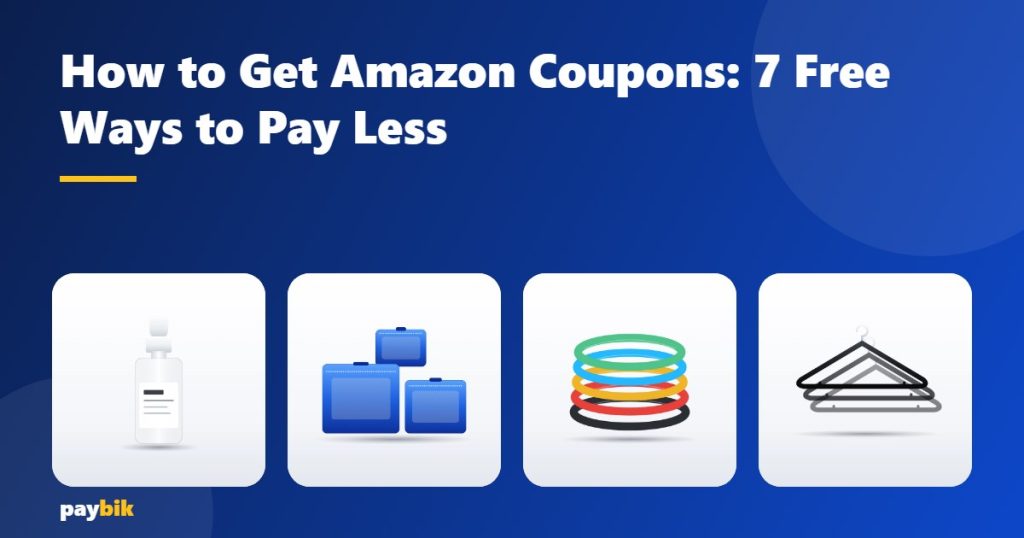
If you want to try the steps above on something small, these everyday items from our guides are a low-risk place to start. Open the product, then look for a coupon box under the price:
- The Ordinary Niacinamide 10% + Zinc 1% Serum
- BAGAIL 8-Set Packing Cubes
- Fit Simplify Resistance Loop Exercise Bands
- Amazon Basics Slim Velvet Hangers
For more ideas, see our housewarming gift picks and our gift ideas for her.
Frequently asked questions
Are Amazon coupons really free?
Yes. Clipping a coupon costs nothing and you are not required to buy. The discount is taken off at checkout if your order meets the coupon’s conditions.
Why did my coupon not apply at checkout?
The usual reasons are that the coupon was not clipped, it expired, it was already used on your account, or the item in your cart is a different size, color or seller from the one the coupon covers.
Can I use a coupon together with a sale price?
Sometimes. It depends on the offer. The only reliable check is the order summary on the final checkout screen, which lists every discount applied.
Do I need Prime to use coupons?
No, most coupons are open to every account. A few are marked as Prime only, and the coupon states that before you clip it.
Are coupon-code websites safe?
Treat them with care. Codes are often expired, and no legitimate discount needs your password or a payment. The safest sources are the store’s own coupons page, the product page and the brand’s official channels.
Bottom line
The fastest way to save is also the simplest: sign in, check the coupons page, tick the coupon box on the product page, and read the order summary before you pay. Amazon coupons change daily, so repeat the check each time you shop.
paybik may earn a commission when you buy through links on this page, at no extra cost to you. As an Amazon Associate we earn from qualifying purchases. Offers, coupons and terms are set by the retailer and can change or end at any time.